Eee PC X101CH
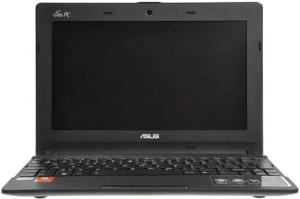
| Manufacturer |
Asus |
|---|---|
| Type |
Laptop |
| Model |
X101CH |
| Release Date |
2012 |
| CPU | |
| RAM |
2 GB DDR3 |
| Display |
10” 1024x600 TN LED |
| Storage |
128 GB SSD |
| Wireless LAN |
802.11n |
| Bluetooth |
3.0 |
Origin Story
This was my first laptop. Got it in late 2015 for a really cheap price for what was only a 3 year old computer at the time. My original unit had the same 2 GB of RAM
Upgrades
Wireless
I upgraded the original 1x1 Atheros Wi-Fi card to a Atheros Wi-Fi + Bluetooth combo card, and added a 2nd antenna to the lid, since the new card needs 2 antennas.
The BIOS of this laptop supports cards with Bluetooth too, even though I don’t think Asus made any units with a Bluetooth card. The Atheros Bluetooth drivers from Asus website also work with the card I used, which has the same Wi-Fi chipset as the original one.
Storage
I also upgraded it from the original 320 GB HDD to a 128 GB SSD.
Cooling
This laptop has absolutely no cooling on the CPU. It literally sits as a bare die in the closed case, with absolutely no way of dissipating heat, besides a thermal pad that’s installed on the other side of the motherboard, not even aligned to the CPU package.
My original unit overheated at times, like when playing YouTube in Chrome with the laptop sitting on my bed.
To help cool this 2.5W TDP CPU I added a thermal pad and a roughly 70x50x3mm aluminium sheet I got from a broken laptop charger. It acts as a thermal mass to hopefully absorb any heat produced by the CPU.