Iconia Tab W500
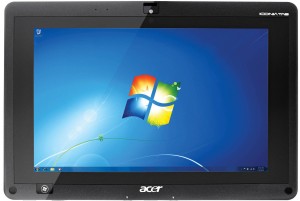
| Manufacturer |
Acer |
|---|---|
| Type |
Tablet |
| Release Date |
April 8th, 2011 |
| CPU | |
| GPU |
Radeon HD 6250 GPU |
| RAM |
2 GB DDR3 on-board |
| Display |
10.1” 1280x800 IPS, 4-point touch |
| Storage |
64 GB mSATA SSD |
| LAN |
10/100 Ethernet (USB in keyboard dock) |
| Wireless LAN |
802.11 b/g/n |
| Camera |
1.3MP front and rear cameras |
| Ports |
2 USB 2.0, HDMI, SD card reader, DC-in |
| Operating System |
Windows 7 Home Premium |
Origin Story
I found this interesting tablet in a flea market, together with it’s keyboard dock, that attaches with two magnets and a latch. What compelled me to get it was the Windows 7 logo on the bottom bezel, next to the AMD HD logo.
When I got it home, the tablet turned on and started charging, but the touchscreen digitizer was not functional. It would only detect touches on the leftmost edge of the display. Looking around the web, I found that this seems to be a somewhat common fault of this tablet. Link to a video showcasing the problem.
After taking the tablet apart, I may have found the source for this problem: the ribbon cable that goes from the touch controller board to the glass panel is pinched between a ridge in the case plastic and the metal midframe that secures the motherboard to the case. The ribbon has two groups of traces, one with more traces than the other, probably matching the horizontal columns.
I really wanted to get this fixed, so I tried to find another tablet to use as a donor. I ended up finding another one in the same flea market, but before buying it I tested it out with my powerbank and guess what: it had the exact same digitizer fault.
I ended up buying a brand new replacement display + digitizer assembly, which I found one in stock at a Polish store on eBay. Together with shipping, the part costed me around 1.5x the price I paid for the tablet, but I really wanted a Windows 7 tablet so I gave in.
Upgrades
I upgraded the SSD drive from the original SanDisk 32 GB mSATA to a 64 GB mSATA drive.
Other than that, the other upgradeable part would be the Wireless LAN card, which is a half-height mPCIe module. Unfortunately, the socket for the WWAN module is not populated on my unit’s motherboard.
As an experiment, I tried attaching an external GPU to that port, but it failed to initialize due to not enough memory allocated to PCIe peripherals by the BIOS.
Recovery Media
No recovery media was available on the internet when I got the tablet. I found this article talking about upgrading the SSD and performing a restore from the original recovery media.
In a stretch, I left this comment on the post asking Hans, the author, if they could upload the recovery media. Fortunately they replied and followed through by uploading the discs to archive.org.
So, big thanks to Hans at tweaking4all.com for uploading the recovery media.
Notes
Recovery discs have to be burnt to DVDs, they won’t work from a USB flash drive. Hold down volume UP key to boot from a USB DVD drive.
Volume Up/Down keys work as cursor Up/Down keys, and the Windows key works as Enter, when the tablet isn’t booted into an OS.